Illustrator テキストエフェクトチュートリアル30

Tutorial タグ: Add comments
このエントリをはてなブックマークに追加このエントリをdel.icio.usに追加このエントリをLivedoor Clipに追加このエントリをYahoo!ブックマークに追加このエントリをFC2ブックマークに追加このエントリをNifty Clipに追加このエントリをPOOKMARK. Airlinesに追加このエントリをBuzzurl(バザール)に追加このエントリをChoixに追加このエントリをnewsingに追加

Illustratorのチュートリアル。ロゴ作成時に必須のテクニックですね。

1.Creating an Environmentally Friendly Green Type Treatment

Green Type Treatment

2.Create a Swirly Type Treatment

Create a Swirly Type Treatment

3.How to Create a Trendy Retro Type Treatment

Trendy Retro Type Treatment

4.Create a Vibrant 3D Pixel Type Treatment

3D Pixel Type Treatment

5.Offset Path on Text in Illustrator
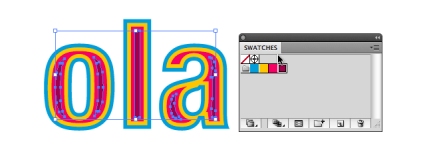
Offset Path on Text in Illustrator

9.Let’s Make a Playful Yet Robust 3D Letter Design

3D

10.Create a Cool Water Effect

Water Text Effect

11.Tug and Twirl Text in Illustrator

Tug and Twirl Text in Illustrator

15.3 Ways to Apply a Line Pattern Effect on Text in Illustrator
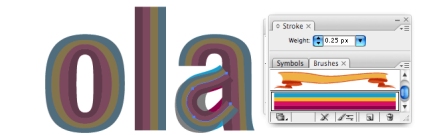
Line Pattern Effect on Text

その他は以下の引用元からどうぞ

via 30 Text Effect Tutorials for Adobe Illustrator

関連記事

One Response to “Illustrator テキストエフェクトチュートリアル30”

  1. Illustrator テキストエフェクトチュートリアル30DesignAdd comments | Chaliits World Says:

    [...] Trace11.Let’s Make a Playful Yet Robust 3D Letter Design12.Create a Cool Water Effect13.Tug and Twirl Text in Illustrator14.Grunge Effect, Ho Read the original:  Illustrator テキストエフェクトチュートリアル30DesignAdd comments [...]

Leave a Reply

WP Theme & Icons by N.Design Studio
Entries RSS Comments RSS